Edit a User Account
To edit a user account, complete the following steps.
|
Step |
Action |
|---|---|
|
1 |
In the Search Results section of the Users page (Admin, User Management), click the Login Name link for the user you want to edit.
Selecting User to Edit |
|
2 |
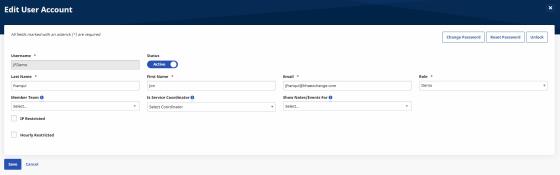
On the Edit User Account page, make changes to the user’s name, email, role, or restrictions.
Edit User Account Page |
|
3 |
Click Save to finish editing the user account. |